
Viewing asset details with Modal Windows in Converge
Converge now offers a more dynamic and interactive way to view asset information.
What’s New?
When you click on an asset—such as a pipeline, facility, or well—a modal window will open displaying key details about that asset. This replaces the previous static window experience and introduces several improvements:
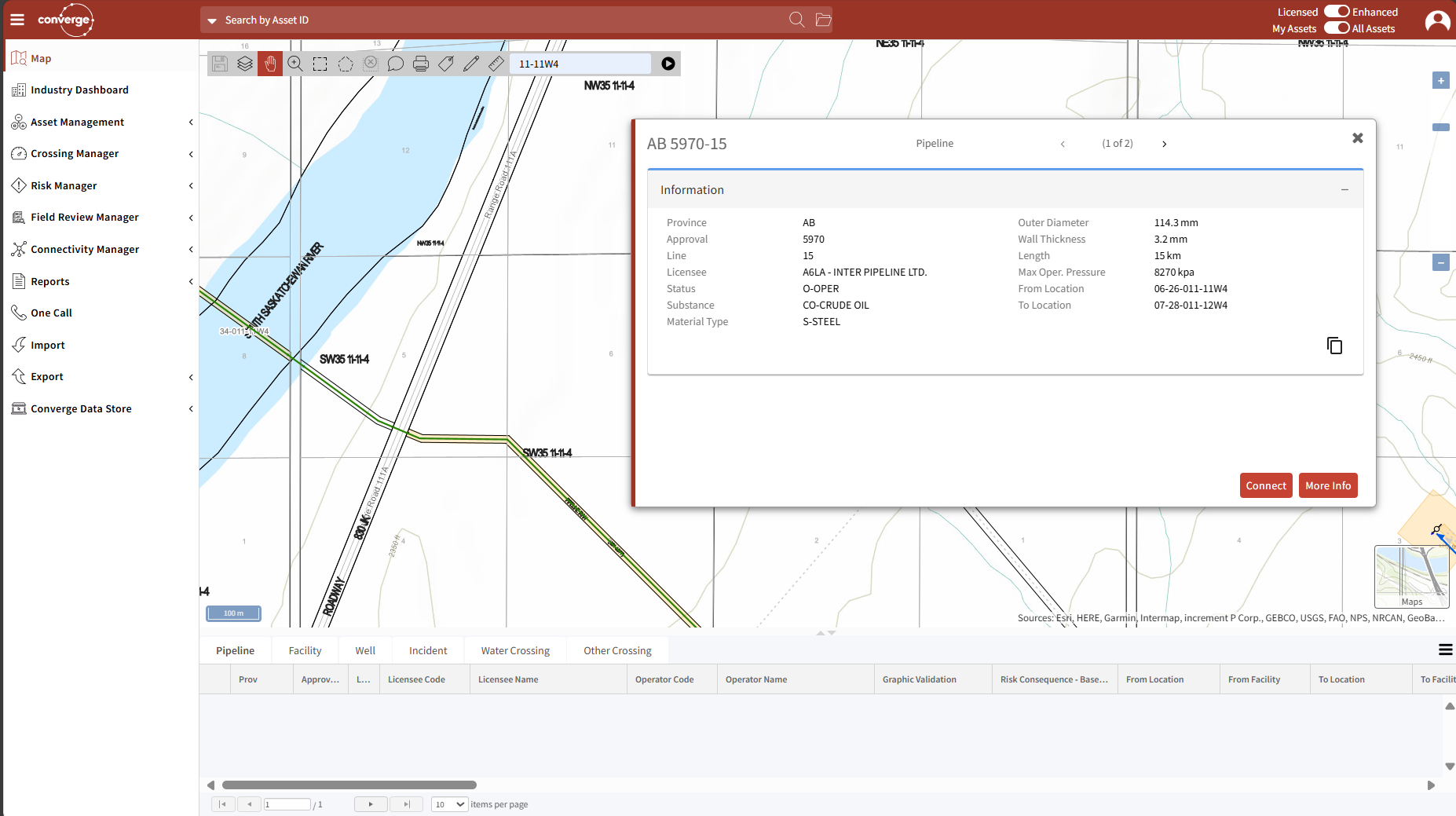
Key Features of Modal Windows
- Movable Windows: You can drag the modal window anywhere on the screen. This allows you to pan around the map and interact with other assets without losing sight of the information you’re viewing.
- Focused Information: Each modal displays relevant data specific to the selected asset, helping you quickly access what you need.
- Improved Workflow: The ability to move and manage multiple modals enhances multitasking and spatial awareness within the map interface.
Why This Matters
Previously, clicking on an asset opened a fixed window that limited your ability to explore other parts of the map. With modal windows, you maintain full control of your view and can interact with multiple assets more efficiently.
Need more Help? Please feel free to contact us at Support@gdm-inc.com